Still Tracking Enterprise Assets in Spreadsheets? There's a Better Way

Your enterprise has skilled teams for managing nearly every part of your business. Even so, there's a good chance that employees in multiple departments are tracking physical assets in spreadsheets.
Spreadsheets can be a good-enough solution in a pinch. But when several people use the same equipment, assets move between locations, or multiple people need access to one spreadsheet, it's impossible to keep it up to date. You can't rely on this data to make decisions about your assets.
Instead, enterprise teams need a way to record asset movements as they happen. Not only does that give your team more insight into the equipment they need to do their jobs, but it also gives you a clearer view of what you own. Learn why spreadsheets just can't keep up with the demands of enterprise business and how to embrace a more modern way of tracking your most important equipment.
Why Enterprise Tracking Is Too Complex for Spreadsheets
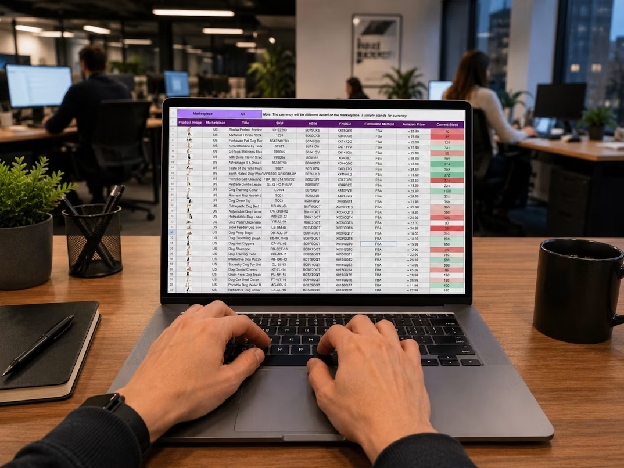
Spreadsheets aren't inherently bad, but they require too much work to stay current. Scaled across your enterprise, tracking assets in spreadsheets leads to issues like:
- Missed updates: Someone takes a piece of equipment and intends to update the spreadsheet later, but never gets around to it. Meanwhile, the spreadsheet seems complete, but its location data is already wrong.
- Errors: In one study, 94% of spreadsheets analyzed contained errors. Assets move frequently, so there's a good chance your asset-tracking files are outdated and not very helpful.
- Unclear ownership: When several people manage the same inventory, who updates an item after it changes hands? If departments keep separate copies, which one is current?
- Complex processes: An employee standing in a stockroom has to find the right spreadsheet, locate the right row in the file, and know which fields to change. If they can't edit the file from where they're working, they have to wait to make updates – and that's a recipe for incorrect data.
- Permission problems: The person handling an asset may have the most accurate information about it, but may not have permission to edit the inventory file. Giving everyone broad access doesn't fix this issue either, because it carries the risk of people changing information they shouldn't.
Minor inefficiencies with spreadsheet tracking compound across your company. Enterprise business is competitive, and these seemingly small issues can lead to missing assets, lost productivity, and higher expenses.
Do Better Work With Asset Tracking Software
Spreadsheets work fine for processing financial figures, but they can't keep up with asset tracking. When you need to know what you have and where it is, asset tracking software is a must.
Asset tracking tools give you a place to record information about physical items and update it easily as assets change hands. Instead of checking a spreadsheet and then searching through emails for the latest details, employees can pull up an item's record to see its location, photos, notes, and history.
The biggest advantage of using tracking software is being able to make updates as employees manage equipment. In practice, that looks like:
- An IT employee can record a device handoff as it's happening.
- A facilities manager can add a photo of damaged equipment before checking it out in the reservation system.
- A production team can see whether shared gear is available before booking it for a job.
You don't need special devices to do this on the go, either. Scanlily is a mobile-first asset tracking system that allows any employee with a smartphone to access the information they need, when they need it. Your team scans a QR code to open an item record, add details while they're with the asset, and search for it later.
6 Tips for Building an Asset Tracking Process Enterprise Teams Will Use

Asking your team to update an unwieldy and potentially outdated spreadsheet isn't practical. Enterprise teams move fast, and they need clean processes that support better record-keeping.
Switching to an asset tracking solution helps, but only if your underlying process supports effective tracking. Follow these tips to build an efficient tracking system that brings all assets into a single view.
1. Start With One Use Case
There's no need to reorganize every department's asset tracking at once. Instead, pick one department or workflow where poor asset visibility creates delays. Starting with a single area gives you the chance to iron out any issues in your tracking processes before rolling them out across the enterprise.
You'll see more easy wins by starting with:
- Shared IT devices
- Tools that move between job sites
- Equipment assigned to rooms in one facility
From there, decide which data fields you need to track for these assets. Ask the people who handle those assets what they need to know: location, assigned user, condition, availability, or something else. Then choose the fields your team actually needs.
2. Update Data Where Assets Are
Your employees are busy. If they have to wait until they're back at their desk to update inventory records, it might not happen at all. Instead, make sure your inventory processes work while employees check items in or out.
Scanlily's mobile and QR-based workflow lets users scan a code to pull up information and make updates in the field. Employees can also build records as they add items instead of completing a separate data-entry project. For people who only need to view a shared QR page, Scanlily supports browser access without an app download.
3. Tie Records and History Together

It's helpful to know where an item is, but you need more information to manage assets effectively. Your asset tracking process should tie important details to each item's record, including:
- Maintenance history
- Purchase price
- Check-in/check-out history
- Manufacturer instructions or warranty
- Condition photos
These data points are especially helpful if assets frequently change hands or you need to provide documentation for an audit. Scanlily lets users attach notes, images, audio, and documents to items, while audit trails make it easy to review activity.
4. Create Inventory Records With Photo or Video
Nobody has time to enter inventory records manually. Photos and video can help teams capture what's in a room, container, or equipment area and build records from there.
With Scanlily, users can photograph an item or a group of items for AI-assisted identification. They can also record a video while describing what they see. Scanlily uses the video and spoken details to generate entries, including images and descriptions.
5. Make It Easy to Find Item Records
Asset records aren't much help if employees can only find an item if they remember its exact name. Following naming conventions can help, but employees might not stick to them when they're busy.
That's why it's so important to give employees more than one way to find the records they need. In Scanlily, teams can search by text, describe what they're looking for in natural language, use a photo to find similar items, or scan an item's QR code.
6. Manage Access Rules

Your employees need permission to update asset records, but they don't need unfettered access to everything. Decide who can view assets, who can update them, and who is responsible for managing fields and reviewing records.
Scanlily makes it easy to define administrative privileges and role-based access. Not only does this keep your data clean, but it also supports proper security and data handling across your enterprise.
Take the Guesswork Out of Tracking
In many cases, employees start tracking assets in spreadsheets out of necessity. But a slapdash effort can only work for so long. As assets move around your business, maintaining an asset spreadsheet becomes a full-time job.
That's too much manual effort for busy enterprise teams. Instead, modernize asset tracking across your organization with Scanlily. We connect enterprise teams with the data they need to stay productive and make informed decisions about their assets.
Optimize a single workflow to see how powerful asset tracking can be: Start your free Scanlily trial today.