How Much Useful Equipment Is Hiding in Your Business? Here's How to Find It
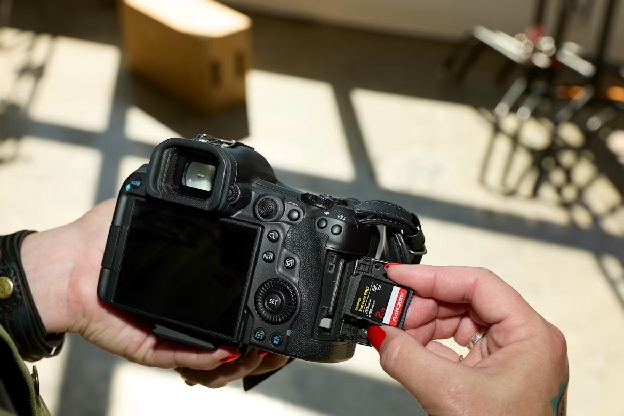
Your marketing team needs a camera for an upcoming project. Someone remembers buying one last year, but no one knows where it is—or whether it still works. After a fruitless search through the storage closet, the team rents one. Meanwhile, your camera is sitting on a shelf in a different area, collecting dust.
The same problem happens with tools, laptops, testing devices, and other business equipment. You may have what your team needs, but it can't help anyone if they don't know it's available.
Learn why underused equipment is such a problem and how you can put it to work for your team again.
Does It Matter If Equipment Is Underused?
Underused equipment is an asset your business owns but uses less than it could. That doesn't mean every item should be in constant use, though. For example, a snow removal business only needs certain tools in winter. A backup laptop may spend most of its time in a drawer because it's there for emergencies. Both assets in these situations serve a clear purpose.
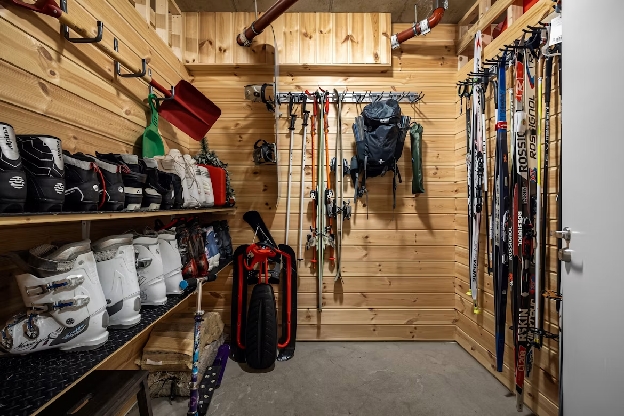
The question is whether an item could be useful now, but isn't. Maybe you bought a drone to capture project footage and trained someone to fly it. Maybe a storage shed is full of tools that employees can't identify without digging through boxes.
Multiplied across your business, underused assets will cost you over time:
- Low return on investment: You've already paid for these assets. If they sit idle while your team rents similar equipment or requests a replacement, you can't get a return on your investment.
- Higher equipment costs: Paying for rentals and replacements for inventory you already have is wasteful and drives up your costs.
- Wasted time: The time your employees spend looking for equipment has a real business cost. Private-industry employee compensation averages \$46.89 per hour worked, so even if a worker spends one hour a week looking for equipment, that's nearly \$50 in lost productivity.
Underused equipment creates inefficiencies in your business and increases costs. Taking the time to identify your underused assets can help you regain control of the assets you already have. You can finally end duplicate purchases, resource allocation issues, and inefficient processes – you just have to know where to look.
3 Steps for Finding Underused Business Equipment

You can't tell which equipment is underused by looking at a storage shelf alone. Follow these steps to identify underused assets in your business.
Document What You Have
Start with the places where equipment tends to accumulate: storage rooms, supply closets, job sites, individual departments, and employees' desks. Compare what you find with existing spreadsheets or purchase records, but check the items in person. A list that says you own three cameras won't help much if you can only find two.
For each item, record the details someone would need to find it:
- Name, model, and identifying number
- Photo and current location
- Condition and maintenance status
- Assigned owner or team
- Accessories needed to use it
Accuracy matters here, but if your team logs these assets manually, you're at risk of inaccurate data. Experts recommend a 95% to 98% accuracy rate for inventory, and that's only possible with digitized tracking.
If you're cataloging a lot of equipment, Scanlily lets you add photos and use AI to help describe and categorize items. A visual record can be especially helpful when employees know what a tool looks like but don't know its formal name.
Look at Usage
Next, find out what happens after equipment enters your inventory. Review checkout records, reservation calendars, project plans, and rental expenses. Ask team leads which items they use frequently and which rarely leave storage.
Look for patterns like:
- Equipment that hasn't been checked out in months
- Several similar items owned by different departments
- Rentals or purchase requests for equipment you already have
- Items that employees ask for but struggle to locate
Think carefully about what you find before taking action. An empty reservation history doesn't prove an item sat idle; employees could have used it without logging their activity. Talk to the people who use the equipment to see if they use it outside of your formal tracking channels.
This process is helpful for cleaning up your existing data, but your goal should be to improve asset tracking going forward. With Scanlily, you can generate an item utilization report that shows which items were reserved and for how long.
Ask Why Items Aren't Used
At this point, you have a good idea of which assets are underused. Some of them may need to be retired or recycled, but don't jump to that conclusion just yet.
Consider why employees might not use this equipment. Ask:
- Is the equipment broken?
- Is its charger missing?
- Is it stored at one site while the people who need it work elsewhere?
- Do employees know it exists?
- Can anyone approve its use?
Solving these problems could help you remobilize essential equipment and avoid making duplicate purchases. But sometimes you might find that equipment is out of date or no longer useful, which is when it's appropriate to consider a replacement.
How to Put Underused Equipment to Work
Did you find a few items that could be used more? Here's how to make equipment available to employees when they need it.
Make It Easy to Find Equipment
Give employees one reliable place to check what the business owns, where items are, and whether they're available. Include photos and descriptions that match the words your team actually uses. Someone searching for a "video camera" should have a reasonable chance of finding the camera listed by its model name. Scanlily supports AI-powered photo search so your team can find records by just snapping a photo.
If you have shared gear, simplify reservations. Scanlily's reservation calendar and built-in check-in/check-out processes keep everyone on the same page and build accountability into equipment usage.
Store Equipment Where Your Team Needs It
An item can be technically available but too inconvenient to use. If most requests for a tool come from one job site, keeping it in a distant warehouse creates extra work every time someone needs it.
Review where demand is coming from and consider moving equipment closer to the people who use it. That could mean:
- Transferring an item to another site
- Keeping a shared kit in a central location
- Giving a frequently used asset a designated storage spot
Wherever you decide to store equipment, make sure the team updates its record when it moves. Scanlily can record location information when someone scans an item's QR code, or a user can enter the location manually.
Remove Barriers to Using Equipment

Sometimes the equipment is in the right place, but employees don't use it because it takes too much effort. Check whether they have what they need:
- Are the instructions easy to access?
- Are chargers, batteries, cables, and accessories stored with the item?
- Is someone available to answer their questions or offer training?
- Has the equipment been inspected or serviced recently?
- Is it clear who can use or reserve it?
You might find that a quick repair puts a valuable tool back in circulation. Or a short how-to video could help workers use equipment that previously depended on one knowledgeable technician.
You don't have to give employees a separate manual, either. Scanlily lets you attach information, like notes and documents, to an item so employees have the guidance they need when they need it.
Get More From What You Already Own
Finding underused equipment starts with taking an accurate inventory count, but the real payoff comes from acting on what you learn. Check how often items are used, ask what's holding people back, and make useful equipment easier to find.
Want a clearer view of your business equipment? Start a free trial of Scanlily to catalog your assets and help your team find the gear they need.