When you walk into a fire, water loss, or estate inventory claim, there's a lot to do. Not just the initial inspection, but everything that comes after it, from sorting photos and renaming files to tracking down comps and building spreadsheets.
Claim documentation is pretty detailed, so why is the process so manual? Even if you use software like Xactimate, a lot of your work has to happen outside of the platform, whether on your phone or across a dozen browser tabs.
Insurance claims are time-consuming and repetitive, but that doesn't have to be the case. Instead of documenting everything after the fact, you can do most of the work during the walkthrough itself.
Learn why claims documentation is such a challenge for adjusters, how Scanlily speeds it up, and how our platform differs from options like DIY spreadsheets and Xactimate.
Modern Claims Documentation Isn't Very Modern
Many insurance adjusters handle itemized claims like it's still the 1990s. The workflow hasn't changed much in a few decades:
- You walk the property
- You take dozens of photos
- You upload everything to your computer and rename the files
- You research replacement costs, track down comparable items, and paste links into a spreadsheet one at a time
It's time-consuming, but manual documentation also fragments all of your information. Photos live in one place, notes in another, and pricing research in browser tabs. That kind of workflow leaves a lot of room for missed items and inconsistent descriptions that can slow approvals.
You can stick with things as they are, but this process eats up hours per claim and introduces unnecessary risk. Modern tools like Scanlily address this issue not by adding more steps, but by rethinking the process entirely.
Scanlily Speeds Up Documentation With Fewer Errors
Scanlily automates the most error-prone part of the claims process so you don't have to choose between being fast or accurate. You get both.
Our platform helps by:
- Streamlining walkthroughs: Instead of juggling photos, notes, spreadsheets, and pricing research, Scanlily lets you capture everything in one pass. You walk through a property, record a quick video, and describe items out loud as you go. From there, the platform uses AI to break that recording into individual items, generate structured descriptions, and organize everything automatically.
- Cleaning up data: Scanlily also standardizes your information. It documents all items in a standard way, making it easier to defend later if questions come up.
- Justifying pricing: Instead of manually searching for comparable items and copying links into a report, Scanlily identifies fair market and replacement values and pairs them with supporting sources.
- Simplifying audits: Preparing for an audit is stressful and time-consuming. But you don't have to get ready for one if you're always ready. Scanlily timestamps everything in your system, including notes and attachments, automatically creating an audit trail.
Scanlily Use Cases for Insurance Adjusters
High-Volume Property Claims
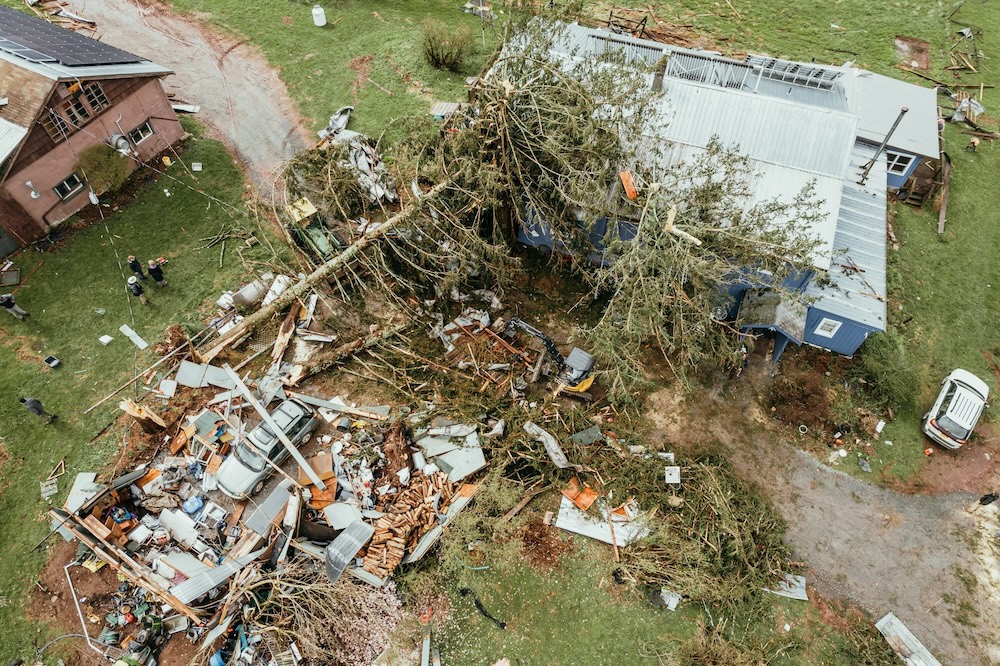
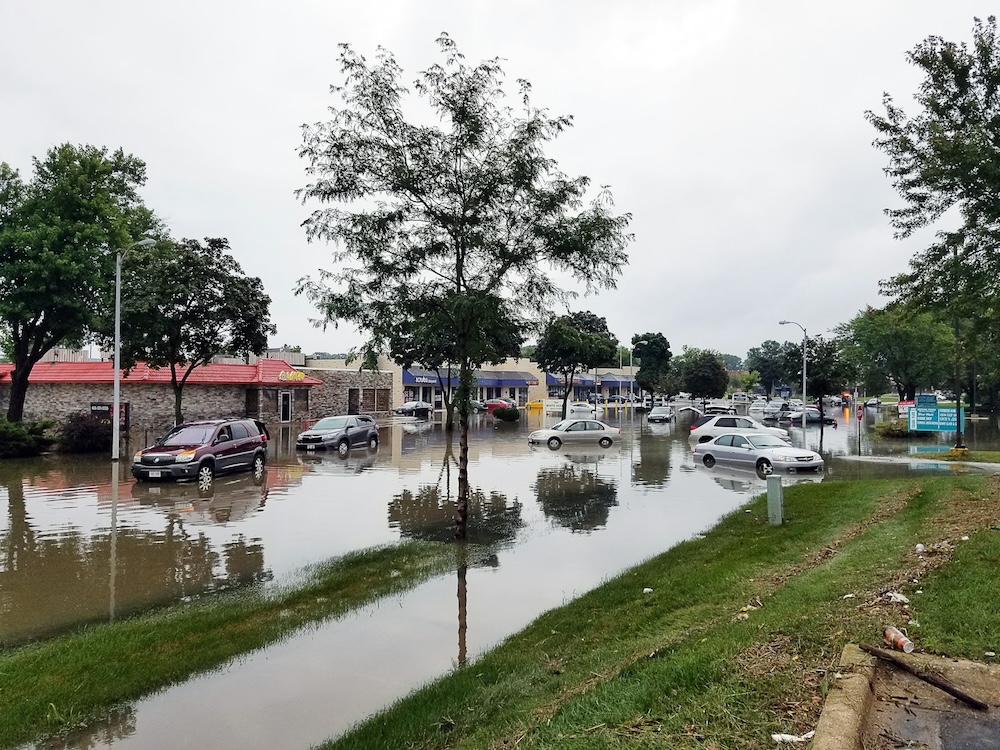
Fire, flood, and storm damage mean you're likely dealing with entire homes' worth of property. You need to document hundreds of items quickly and accurately, but that's daunting.
Instead of taking endless photos and sorting them later, with Scanlily, you can:
- Walk through the property once
- Record video while describing items out loud
- Let Scanlily automatically break everything into individual, categorized entries
- Automatically pull comparable listings to support valuations
This makes it much easier to capture everything in context without missing smaller or less obvious items.
Estate Claims and Total Loss Inventories
Incomplete documentation can lead to delays or disputes. Scanlily makes it possible to create thorough, defensible inventories by:
- Documenting entire rooms or collections in minutes
- Capturing detailed verbal notes during a recording
- Automatically generating item descriptions and pricing comparisons
The result is a cleaner, more complete inventory that's easier to review and justify.
High-Value Item Documentation
For items like electronics, appliances, collectibles, or specialty equipment, accuracy is even more important. Vague descriptions or missing comparisons can lead to pushback, so you need thorough documentation for high-value claims.
Scanlily helps by:
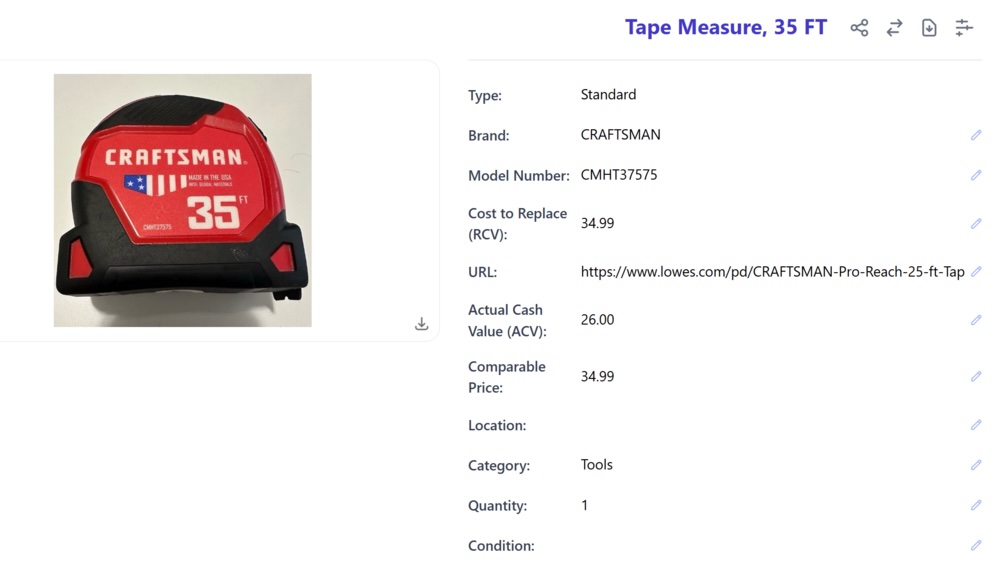
- Identifying brands, models, and key attributes
- Pulling comparable listings to support valuation
- Linking directly to sources for transparency
This creates a clear paper trail that supports your numbers and reduces the likelihood of disputes.
Time-Sensitive and High Volume Claims
Documentation is a huge bottleneck when you're juggling multiple claims at once. Scanlily is especially useful here because:
- You can capture multiple recordings back-to-back without waiting for processing
- The system builds inventories in the background
- Reports are ready to export shortly after
It's a much more scalable way to handle workload spikes without sacrificing quality.
How Scanlily Works, from Walkthroughs to Finished Reports
Sure, Scanlily is fast, but the biggest difference between us and other solutions is when the work happens. Instead of documenting everything after the fact, most of the heavy lifting happens during the walkthrough itself. By the time you're back at your desk, you already have a workable report.
Here's what that looks like:
Step 1: Capture Everything
Start with a simple walkthrough of the property. Instead of taking dozens of disconnected photos, you can:
- Record a video of each room or area (recommended in shorter segments)
- Speak naturally as you go, including information on item names, condition, or context
Scanlily captures both the visual and audio information, so you're not relying on memory later or scribbled notes.
It's better to record in short, focused clips (30–90 seconds per room or section) rather than one long video. You can queue multiple recordings back-to-back without waiting. Scanlily processes them in the background while you keep moving.
Step 2: Let the AI Work Its Magic
Once uploaded, Scanlily's AI gets to work. From each recording, the platform:
- Identifies individual items (even in cluttered spaces)
- Separates them into distinct entries
- Automatically assigns categories
- Pulls out details like brand, color, and item type
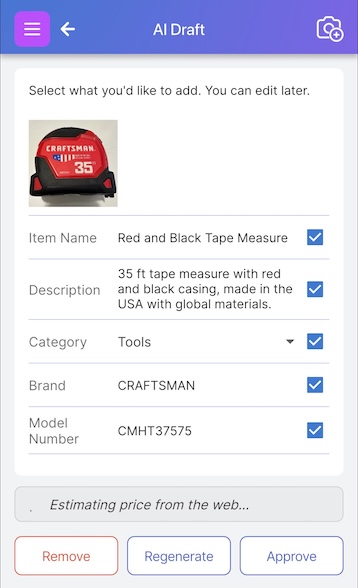
If you dictated notes during the walkthrough, those are captured and attached to the relevant items as well. Instead of a folder full of images, you now have a fully itemized inventory.
Step 3: Add Context
Scanlily doesn't just label your items; it also adds useful details like:
- Clear, standardized item names
- Descriptions based on visual and audio input
- Organized groupings by room or category
You can still edit or refine these details, but you're starting from a structured baseline instead of a blank spreadsheet. Scanlily data is also searchable by text or even by an uploaded image, so you can find specific items later in a few clicks.
Step 4: Built-In Pricing and Comparison Research
Pricing is one of the most time-consuming parts of claims documentation, but Scanlily automates it in the background.
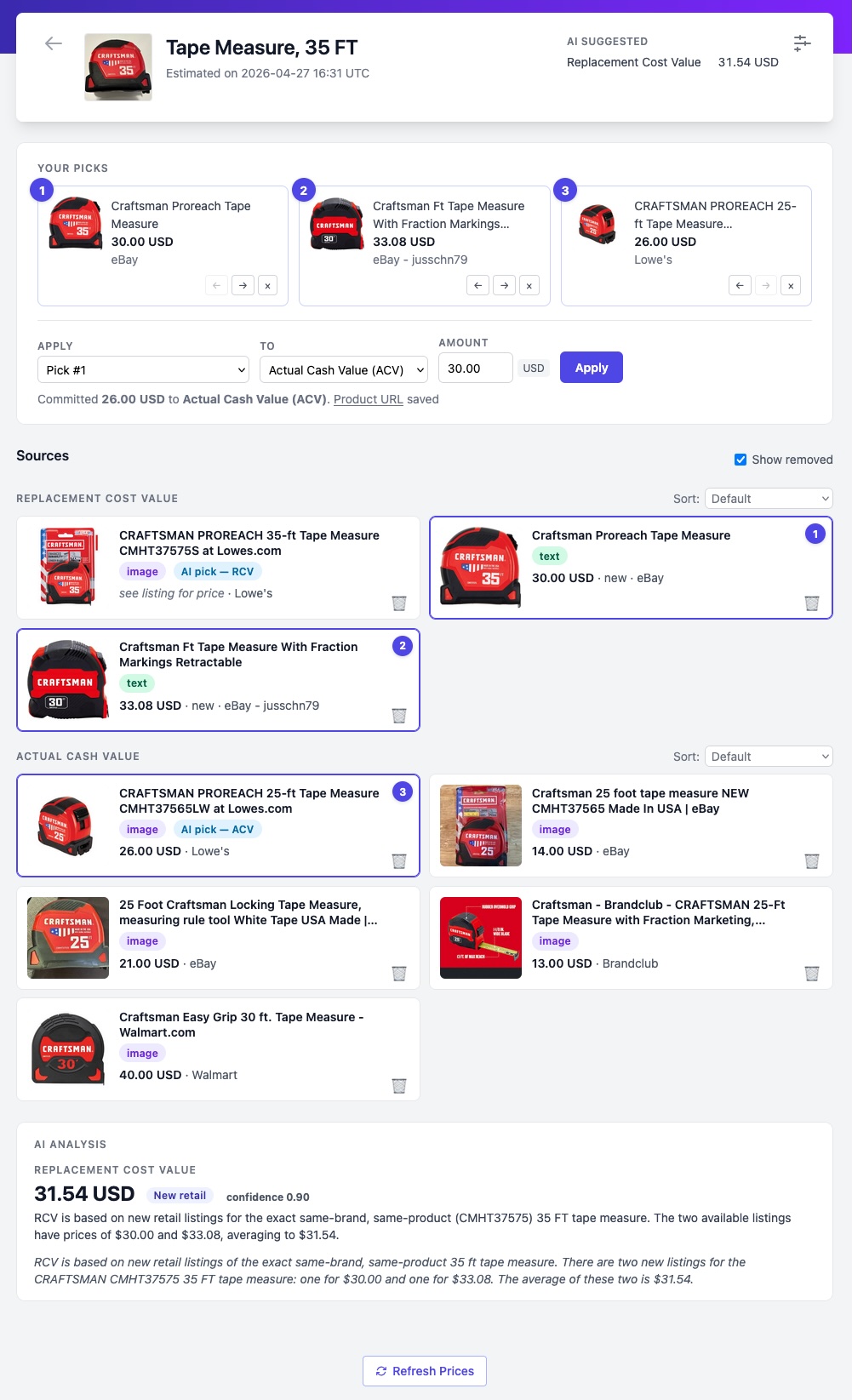
As soon as you upload item information to Scanlily, the platform searches the live web for comparable products using both image recognition and item details like brand and model. It then weighs those results to generate a suggested value, along with the exact listings used to support it.
From there, you can:
- See every source behind the estimate, including condition and merchant
- Adjust or override pricing with a single tap
- Choose valuation modes like Replacement Cost Value (RCV) or Fair Market Value (FMV), depending on the claim
Instead of spending hours researching comps, you get a fully priced inventory as part of your normal workflow, often before you've even left the property.
Step 5: Upload Documentation
Documentation doesn't stop at itemization. Scanlily allows you to layer in additional context as needed, including:
- Written notes or clarifications
- Supporting documents or images
- Audio clips
- Timestamps and user tracking
Scanlily logs every change, too, so you have a clear audit trail of who added what and when.
Step 6: Generate a Finished Report
Scanlily automates a lot of the claims adjustment process, but you still need to double-check that everything is correct. If it looks good, you create a final report in Scanlily.
The platform lets you:
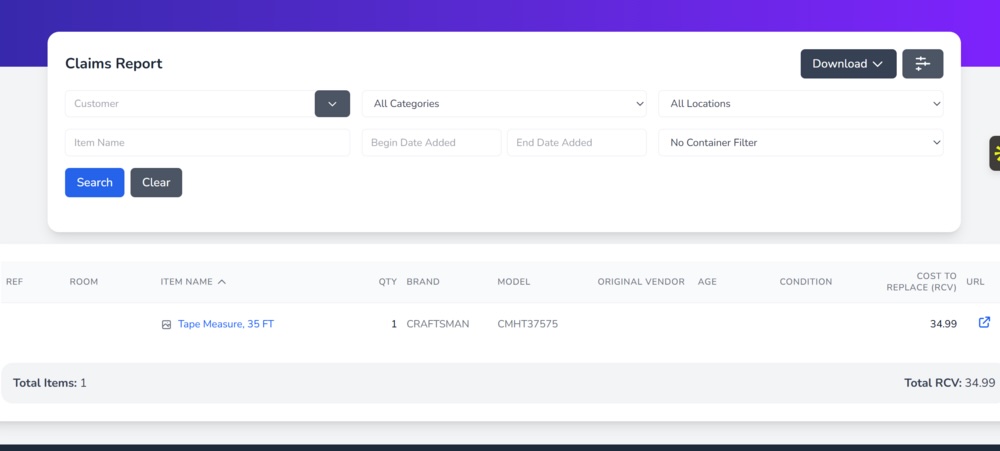
- Generate claims reports with or without notes
- Export to CSV or Excel formats
- Create versions with embedded images for easier review
Because the system has already structured the data, you're not assembling a report; you're simply exporting it.
Scanlily Versus Xactimate and Spreadsheets
You probably already have tools to help with claims. But are these tools actually working for you? The most popular alternatives to Scanlily are spreadsheets and software like Xactimate. They have their benefits, but switching to Scanlily is the real game-changer. Here's how we compare to what you're already using.
Xactimate Isn't Ideal For Personal Property Claims
This software is popular for a reason. It has helpful features for:
- Estimating repair and rebuild costs
- Standardized pricing databases
- Carrier-aligned reporting formats
If you're scoping structural damage or preparing detailed estimates, it has enough features to handle the job. Still, Xactimate isn't ideal for personal property and contents inventory, especially at the speed you need in the field.
Even if you have Xactimate, you still need to:
- Associate photos to items manually, line by line
- Manually input item details
- Research comps outside the platform for specialty or high-value items
- Piece everything together into a cohesive report
Spreadsheets Are Time-Consuming and Error-Prone
Google Sheets and Excel are easy to use, and virtually everyone has access to them, so it's no wonder that so many insurance adjusters use them. Spreadsheets are flexible, but that flexibility comes at a cost.
You have to do everything manually with spreadsheets, from dropping in item names to conducting your own pricing research. There's no built-in structure, no automation, and no audit trail unless you create it yourself. That makes it easy for inconsistencies (or missing data) to slip through.
The Scanlily Difference
Scanlily approaches the problem from a completely different angle. Instead of building documentation after the fact, it creates it during the walkthrough.
Scanlily includes time-saving features like:
- AI-driven itemization from photos or video
- Audio note capture that turns spoken observations into structured data
- Built-in pricing and comps research with linked sources
- Standardized, consistent descriptions across every item
- Export-ready reports
These features are helpful, but our workflow is what makes it unique. Scanlily fills the gap between fieldwork and reporting, turning what used to be hours of admin into a much more streamlined process.
Make Faster Claims For Less Busywork
Adjusters have been working in the past for decades. The old processes work, but they're slow and leave too much room for inconsistencies.
Scanlily optimizes your walkthroughs to radically change the claims experience. By capturing everything in one pass and letting AI handle the itemization, descriptions, and pricing validation, you're no longer rebuilding the claim from scratch later. You're refining and exporting what's already there, complete with defensible values and supporting documentation.
You don't have to overhaul all of your workflows to see the benefits, either. Experiment with a single claim to see how AI-powered insurance claim software reduces friction in your job.
See the difference firsthand: Download the Scanlily app today.