Is Your Equipment Everywhere? Here's How to Maintain a Reliable Audit Trail
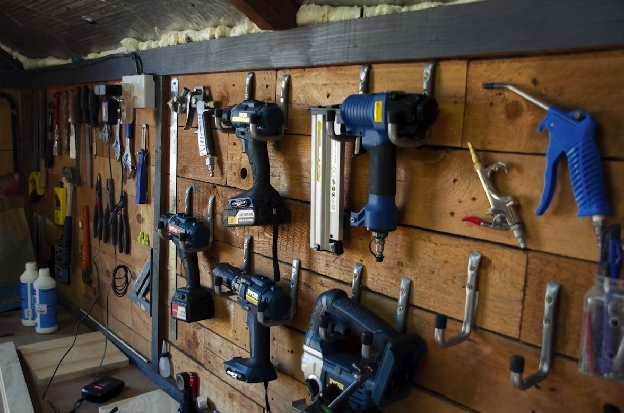
Tracking equipment across multiple job sites, warehouses, labs, or offices is exhausting. It's not unusual for people to transfer items without an update or for maintenance records to disappear in someone's inbox. Without oversight, you can't be sure who checked out a tool or where it is.
An equipment audit trail replaces that uncertainty with a clear record. It shows where each asset is, who handled it, what changes were made, and when it was last serviced. With the right equipment management software, you can maintain that history across every location without creating more busywork for your team.
Learn how equipment audit trails work and how Scanlily helps growing organizations create better records with smart equipment tracking.
How Does an Equipment Audit Trail Work?

An equipment audit trail is a chronological record of an asset's history. It shows where the equipment is, who used or updated it, and what happened to it over time. Unlike a standard inventory list that provides only a snapshot of current assets, an audit trail preserves a detailed record of changes and activity.
A digital equipment tracking system like Scanlily creates this history as employees add, move, check out, service, or update equipment. Each asset has its own profile, where your team can track information like:
- Item name and description
- Make, model, and serial number
- Current location
- Condition and operational status
- Purchase date, price, and warranty information
- Maintenance and repair history
- Checkouts and returns
- Manuals, photos, receipts, and other documents
Scanlily also makes it easy to connect your records to every physical item. Employees can scan a QR code to view or update the information on a mobile device, while timestamps and user histories show who made each change. This creates a reliable record that follows your equipment, even when the asset moves between employees, departments, or locations.
Why You Need an Audit Trail
Even a small gap in your records can create expensive problems. An audit trail gives your team a clear history for every item, helping you:
- Know where equipment is: An audit trail records location changes as equipment moves between employees, departments, facilities, or job sites. Instead of calling around or checking multiple spreadsheets, your team can consult a single system to see where an asset is.
- Create accountability: Scanlily assigns updates to every user, so you can see who checked out an item, moved it, reported damage, or completed maintenance.
- Take the stress out of inspections: Audits and inspections are far less daunting when your equipment records are already organized and ready. Instead of scrambling to piece together evidence at the last minute, you can easily hand over a clear record for every asset.
- Make smarter buying decisions: With accurate equipment histories, your business can plan maintenance, prioritize spending, and avoid purchasing assets it already owns. In fact, switching to a predictive maintenance schedule could cut costs by as much as 40%.
How to Quickly Create an Accurate Equipment Audit Trail
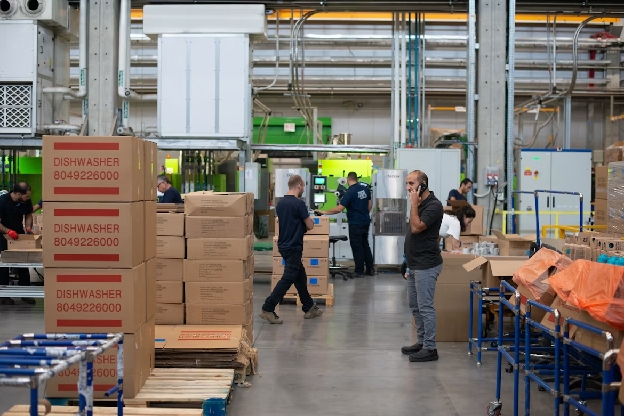
Audit trails are incredibly useful, but only if your team updates them. The best approach is to make recordkeeping part of their everyday work. Integrate these steps into your workflows to create and maintain an audit trail across all locations.
1. Build a Centralized Inventory
Start by bringing equipment records from every department, facility, vehicle, or job site into an inventory management software platform. Give each item a digital profile containing its identifying details, location, condition, maintenance history, and supporting documents.
You can assign a unique QR code to every asset as part of a QR code asset management system. Scanning the code takes employees directly to the item's record, where they can view information or document activity from their phones.
However, QR codes aren't the only way to find equipment with Scanlily. Team members can also take a photo of an object to locate matching records. Scanlily can also help you build your initial inventory using AI image recognition. Take a photo or video of several objects, and the platform can identify and itemize them for you.
2. Follow Data Standards
Your system will be unwieldy and hard to understand if employees enter information differently. Avoid that by establishing clear standards for how your team will name:
- Equipment and asset categories
- Facilities and job sites
- Rooms or storage areas
- Departments
- Equipment statuses
For example, one employee might call a location "San Antonio Warehouse," while another enters "SA Whse." These records refer to the same place, but inconsistent naming makes it much harder to find the right record.
Create a short guide with approved naming conventions and required fields. Avoid labels like "back room," "main site," or "Mike's tools," which will be confusing as your business adds people and locations.
3. Build Transfers Into Your Workflow
The trick to multi-location audit trails is maintaining location data at all times. That can be tough to maintain, which is why transfers should be part of the physical handoff, not something employees are expected to document at the end of the day.
With Scanlily, an employee can scan the item at the point of transfer and update its location immediately from a mobile device. The platform can also capture GPS information when employees scan a code, which adds more specific context to the record.
4. Document All Maintenance
Every inspection, repair, and calibration should be part of the asset's permanent history. At minimum, your system should record:
- The date work was completed
- The type of service performed
- The employee or vendor who performed it
- Any parts used
- The asset's condition
- Recommended follow-up work
- The date of its next scheduled service
With Scanlily, employees can document work from their phones while they're working on the equipment. They can add notes and attachments to the item's profile, while reminders help the team stay ahead of upcoming service.
5. Manage Permissions Carefully
A useful audit trail should make collaboration easier without giving every user unrestricted control. Use role-based permissions to determine who can view, add, edit, transfer, or delete information.
Granting access based on responsibilities protects sensitive information and reduces accidental changes. For example, technicians may need to update maintenance records, while supervisors may need to generate reports or export data. Other employees might only need to view instructions or report a problem.
Employees should also have individual accounts instead of sharing a single login. An audit trail can only establish accountability if each update is connected to the person who made it.
6. Upload Supporting Evidence or Documents
A short note saying that an item was inspected or repaired might not offer enough detail. Instead of asking your team to write long updates, ask them to upload other helpful evidence.
Depending on the asset, supporting materials might include:
- Inspection checklists
- Calibration certificates
- Repair invoices
- Receipts and warranty documents
- Manuals and operating procedures
- Before-and-after photos
- Videos or audio notes
- Training records
Scanlily allows users to attach notes, documents, images, audio clips, and reminders to individual items. Attachments are timestamped and associated with the person who added them, too, so you get a more complete and verifiable history.
7. Review Your Records (Before There's an Audit)
Don't wait for an auditor, insurer, or client to request documentation before checking your records. Schedule routine reviews to find missing details while employees can still correct them.
Look for:
- Items without assigned locations
- Equipment assigned to former employees
- Overdue inspections or maintenance
- Missing serial numbers or purchase records
- Unexplained transfers
- Incomplete checkout histories
- Duplicate or inconsistently named assets
- Records without recent condition updates
It's easy to put these reviews on the backburner when you have more pressing tasks at hand, but they're essential for staying on top of asset management. Add quarterly reviews to your calendar to ensure your records are up to date. If that isn't possible, conduct internal reviews or audits during slower seasons.
Keep Equipment History at Your Fingertips
With consistent processes and the right equipment management solution, you can maintain accurate records across every location without burying your team in administrative work. Still, you need the right solution to manage all of the assets in your business.
Scanlily brings inventory details, location histories, maintenance records, and supporting documents into one mobile-first platform. Try it at your location: Start your Scanlily free trial.