From Check-Out to Return: How to See Who Has Company Equipment
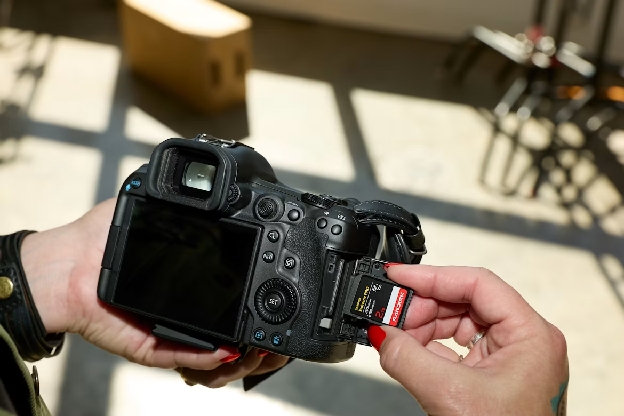
Company equipment has a habit of wandering between employees. Power tools travel to multiple job sites or a shared camera passes between departments—but then, suddenly, no one knows who has it.
Spreadsheets and informal check-out systems only help when everyone remembers to update them. As your team grows and equipment moves more frequently, outdated records lead to wasted time, duplicate purchases, project delays, and missing assets. You need a dependable way to see who's responsible for each item without sending a company-wide message.
A centralized equipment tracking system fixes that. This solution gives your team one place to record assignments, checkouts, returns, and everything in between. Learn why manual tracking is almost impossible to pull off, plus five steps to set up better tracking for your organization.
Why It's So Hard To Know Who Has What

Your equipment won't disappear all at once. Most asset losses happen through a series of small, undocumented handoffs over time. That might look like:
- A new employee receives a laptop, tool set, or access badge, but no one records the assignment.
- One technician passes a shared instrument to another.
- A camera travels from the office to a job site, then returns with a different team.
- Individual departments maintain separate spreadsheets that don't reflect how equipment moves across the company.
These informal processes cost you more than the price of replacing these assets. Employees search for information about missing assets through emails and outdated files, which costs more than a few minutes of frustration. Workers spend 1.8 hours a day gathering information, and that administrative work takes time away from projects that generate actual value.
Move from Spreadsheets to Asset Tracking Software

Informal handoffs cause a lot of issues with asset management. It's tempting to track it all in a simple spreadsheet, but in most cases, that isn't enough to prevent problems.
Spreadsheets are usually the first tool growing businesses use to track company equipment. They're familiar, inexpensive, and easy to set up. If your equipment rarely moves and one person manages every update, a spreadsheet may be enough, at least temporarily.
However, the cracks start to show when employees:
- Regularly share tools
- Transfer equipment between departments
- Move assets between offices or job sites
You have to rely on employees to open the correct file and enter the right information when they're busy and distracted. And if they forget to update the spreadsheet, your records won't reflect what's happening on the ground.
Asset tracking software is a simpler alternative to spreadsheets that holds your team accountable for every asset. Solutions like Scanlily create a centralized, real-time record of all equipment, including its current owner and location. Instead of manually searching through spreadsheets or asking a manager to update a file, employees can record assignments and transfers during the handoff process.
5 Steps for Simplifying Tracking Employee Equipment

Adding your equipment to an inventory tracking system is a good first step, but you need a repeatable process that employees will follow. That ensures your inventory records will be accurate every day, not just when you upload items to the platform.
Follow these steps to build an equipment management process that's always accurate, no matter how your business grows.
1. Inventory All Trackable Equipment
Start by identifying the items your business needs to track. It doesn't make sense to track absolutely everything (do you really need to know how many pens you have?), so decide which assets need monitoring.
Depending on your business, that might include:
- Laptops, monitors, phones, and tablets
- Power tools
- Cameras, lighting, and audio equipment
- Laboratory instruments
- Medical devices
- Keys, access cards, and security equipment
- Safety gear
- Machinery and manufacturing equipment
- Company vehicles and trailers
Next, decide what information you want to record for each item, like its name, description, serial number, condition, location, and assigned employee.
Creating that initial inventory doesn't have to mean entering every item manually. Scanlily uses AI image recognition to identify equipment from photos and generate item details. You can even photograph multiple objects at once, and the platform separates them into individual inventory entries.
If you have a lot of inventory to upload, use Scanlily video recognition to speed up the process. Record a room, storage area, workbench, or equipment container while describing what you see out loud. Scanlily processes the video, identifies individual items and quantities, and generates data for each asset entry.
2. Record Who's Responsible for Each Item
Every trackable item should have a clearly identified owner who's responsible for knowing where it is. Record the employee's name, assignment date, the item's condition, and its expected return date. For assets assigned permanently or for long periods, schedule periodic reviews to confirm that the employee still has the item.
With Scanlily, you can link equipment records to the employees responsible for them and maintain a history of who used each item and when. Role-based access also allows businesses to control who can view or change different types of information.
Employees can also add photos, documents, audio clips, and notes to an item's record. Each attachment is timestamped and associated with the person who added it, which provides more accountability than a spreadsheet ever could.
3. Standardize Check-in and Check-out for Shared Equipment
If equipment is assigned to just one person, tracking it is relatively simple. But what about shared equipment that changes hands?
Since these assets move a lot, you should establish standard check-in/check-out procedures. Don't allow any workarounds or informal checkouts; everyone needs to follow this process to keep your inventory records up to date.
The most important factor is designing a process that's quick enough for your employees to actually follow. With Scanlily, you can attach a QR code to each asset, which makes it easy for employees to update information on the go. Each code opens an online page that can be viewed in a browser without requiring an app download.
You can also use Scanlily's calendar-based booking system to reserve shared assets in advance. This helps employees see whether equipment is available, who booked it, and when they need to return it.
4. Document Every Transfer
If an employee passes a tool directly to a coworker without documenting the transfer, the system will show the original employee as the owner, but that isn't correct. Train your team so documentation is part of every handoff.
Scanlily's mobile-first system allows teams to update equipment at the point of transfer instead of waiting until they return to their desks. It also maintains an audit log with chronological updates. If an item goes missing, you can review its history to determine where it was last recorded.
5. Include Equipment Returns in Employee Offboarding
Equipment recovery should be a standard part of every employee's departure. Waiting until someone's final day to determine what they have can leave managers scrambling - and increase the risk that laptops, keys, or tools never come back.
Before an employee leaves, generate a complete list of assigned equipment. Review it with the employee, collect each item, and document its condition. Then update the record immediately so the equipment can be reassigned, stored, repaired, or retired.
Because Scanlily keeps equipment details, assignments, attachments, and history in one place, managers don't have to search through spreadsheets or emails to build a return list. Its smart search tools also allow users to ask questions in natural language, making it easier to find assets associated with a particular employee.
Stop Asking Who Has What
Tracking company equipment shouldn't require searching through spreadsheets or asking people who has what. With consistent assignment, check-out, transfer, and return processes, your team can always know who's responsible for each item.
Scanlily brings those processes together in one simple QR code inventory system. Use AI-powered photo and video recognition to build your inventory, QR codes to document equipment movement, and searchable histories to see who used an item and when.
See the Scanlily difference firsthand: Start your free trial now.