Shared School Equipment Tracking: A Smarter Back-to-School System
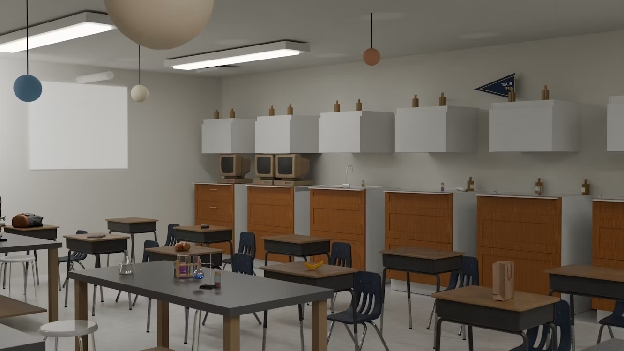
Back-to-school season has a lot of moving parts. Laptops go home in backpacks, projectors travel between classrooms, students check out cameras for projects, and teachers pass lab and STEM equipment between departments.
Knowing which equipment your school owns is only half the battle. These assets move, so you also need to know where they are, who has them, whether they're available, their condition, and more. Spreadsheets and paper checkout processes just can't keep up with what's happening on the ground.
That's where asset management software can help. With the right equipment tracking system, schools can link physical items to digital records that are easy to access and update throughout the year. Learn why shared equipment tracking is so tricky and how the right setup makes all the difference.
Why Shared School Equipment Is So Difficult to Track
Schools have hundreds of assets spread across classrooms, libraries, and storage areas. It's even harder to keep tabs on your inventory once the school year starts and items change hands.
Regardless of how many assets you track, monitoring shared equipment is hard for several reasons:
- Equipment is on the move: Forty-six percent of students take school-issued devices home, and that's just student devices. Projectors, chargers, microphones, STEM kits, lab equipment, and maintenance tools may move throughout a building or even between campuses.
- Multiple departments need the same asset: Not every piece of equipment belongs exclusively to one classroom or department. A camera might be used by the yearbook staff one day and the communications team the next. Schools need a way to see what's available, where an item is, and whether someone is already using it.
- Checkout records are outdated: Paper sign-out sheets and spreadsheets only work when you update them and know where they are. But that's a lot to ask during a busy school day. Someone may grab a laptop charger without signing it out or move a piece of equipment to another classroom without updating its location. Without a better, centralized tracking solution, your inventory records will be completely unreliable.
QR Code Asset Management Makes the School Year Easier

Asset tracking software shouldn't create another administrative chore for teachers and staff. A mobile-first QR code inventory system like Scanlily links each physical asset to a digital record that staff can access by scanning the asset's QR code.
That's a big win during the busy school year, helping you:
- Know who has equipment: In an audit of one New York school district, 23% of a 100-device sample wasn't properly accounted for. But item tracking gives schools a clearer record of who has shared equipment and where it's supposed to be. With Scanlily, staff can scan the QR code attached to an item to access its record and update information from a phone.
- Take inventory with a photo or video: The biggest hurdle of switching to inventory management software is getting everything into the new system. Fortunately, Scanlily speeds things up with AI image and video recognition. A single photo or short video can even catalog multiple items, which Scanlily identifies individually.
- Find equipment faster: With QR code asset management, each item gets a record with its assigned user, location, category, and photos. Scanlily also offers natural-language and visual search, so staff don't necessarily need to know an exact asset name or identification number to find what they're looking for.
- Prevent double-booking: Scanlily's calendar-based booking tools let teams reserve shared assets in advance. Teachers and staff can see when equipment is available before planning around it, helping prevent two classes from expecting to use the same camera, projector, STEM kit, or other shared resource at once.
How QR Code Equipment Tracking Works in Schools
A QR code system for inventory gives schools a simple way to connect physical equipment with the information needed to manage it. Instead of returning to a spreadsheet every time something changes, you can manage equipment in the moment.
Still, embracing a new process can be daunting. Here's how schools can seamlessly embrace AI- and QR-powered inventory tracking.
1. Decide What to Track
You don't need to assign a tracking ID or QR code to every asset in your school. Instead, prioritize devices that are:
- Shared
- Valuable
- Frequently move
- Difficult to replace
Depending on your school, that might look like:
- Computers, Chromebooks, or tablets
- AV equipment
- STEM and robotics equipment
- Musical instruments
- Athletic and PE equipment
- Maintenance equipment
2. Add Each Item to Your Inventory
Start by creating a digital record for each asset you want to track. With Scanlily, you can use either QR codes or video and audio.
Rather than requiring staff to create every digital record before labeling equipment, they can start by scanning the QR code with a mobile device to add the item. The upside is that you can easily track high-end items, but adding a QR tag to lots of items might not be practical.
That's why schools also use Scanlily's AI to create inventory from photos or video. A staff member records a classroom, lab, IT closet, or other space while describing the equipment aloud. Scanlily processes the video and audio and turns what it recognizes into usable inventory records, including item images, quantities, descriptions, categories, colors, brands, and dictated notes.
3. Scan or Search
Once an item has a QR code, scanning it opens its online record. There's no need to search a spreadsheet for an asset number or head back to a desktop computer just to look something up. Scanlily's QR-linked pages can be viewed in a browser, so someone scanning the code doesn't need to download an app simply to access the page.
QR codes aren't the only way to find something, either. Scanlily's AI-powered search lets users search using natural language or even by taking a photo of an object to find matching items. That's particularly handy when someone knows what they're looking for but not its exact name, category, or asset number.
4. Check In/Out
Using QR codes to track inventory can also simplify equipment checkout. Staff scan an item's code when it's issued and update its record to reflect who has it.
When the laptop, camera, projector, tool, or other asset comes back, its record can be updated again. This creates a much clearer chain of accountability than relying on a paper checkout sheet or hoping everyone remembers to update a shared spreadsheet.
For equipment that needs to be reserved in advance, Scanlily also supports calendar-based bookings. Teachers and staff can plan ahead for shared resources to avoid scheduling conflicts.
5. Add Media
An equipment record can hold much more than an item name and serial number. Scanlily allows users to attach files like photos, videos, documents, notes, audio clips, and reminders to individual items.
That means:
- A teacher could photograph a damaged tablet before returning it.
- An IT employee could attach setup instructions to a projector.
- Facilities staff could add repair documentation or record an audio note after inspecting a piece of equipment.
Attachments are timestamped and associated with the person who added them, providing useful context about an asset over its lifetime.
6. Update Information As Needed
Equipment isn't static, so your records shouldn't be, either. Scanlily maintains an audit log of all activity, creating a history of what happened to an item and who made changes.
When an item moves from one classroom to another, staff can update its location. If its condition changes, they can document that. If a device is being repaired, retired, reassigned, or returned to storage, its status can change along with it.
Start the School Year Knowing Where Everything Is
The start of the school year is the easiest time to get your equipment in order, but the real payoff is in the months that follow. Better organizing and tracking your laptops, AV gear, and expensive tools will help you stay on top of the essential devices that keep your school running.
With Scanlily, schools can use QR codes, AI-powered photo and video recognition, smart search, bookings, attachments, and audit histories to build an inventory that's easier to create and manage.
Get organized before the back-to-school rush and maintain that visibility throughout the year. Start your free trial with Scanlily.